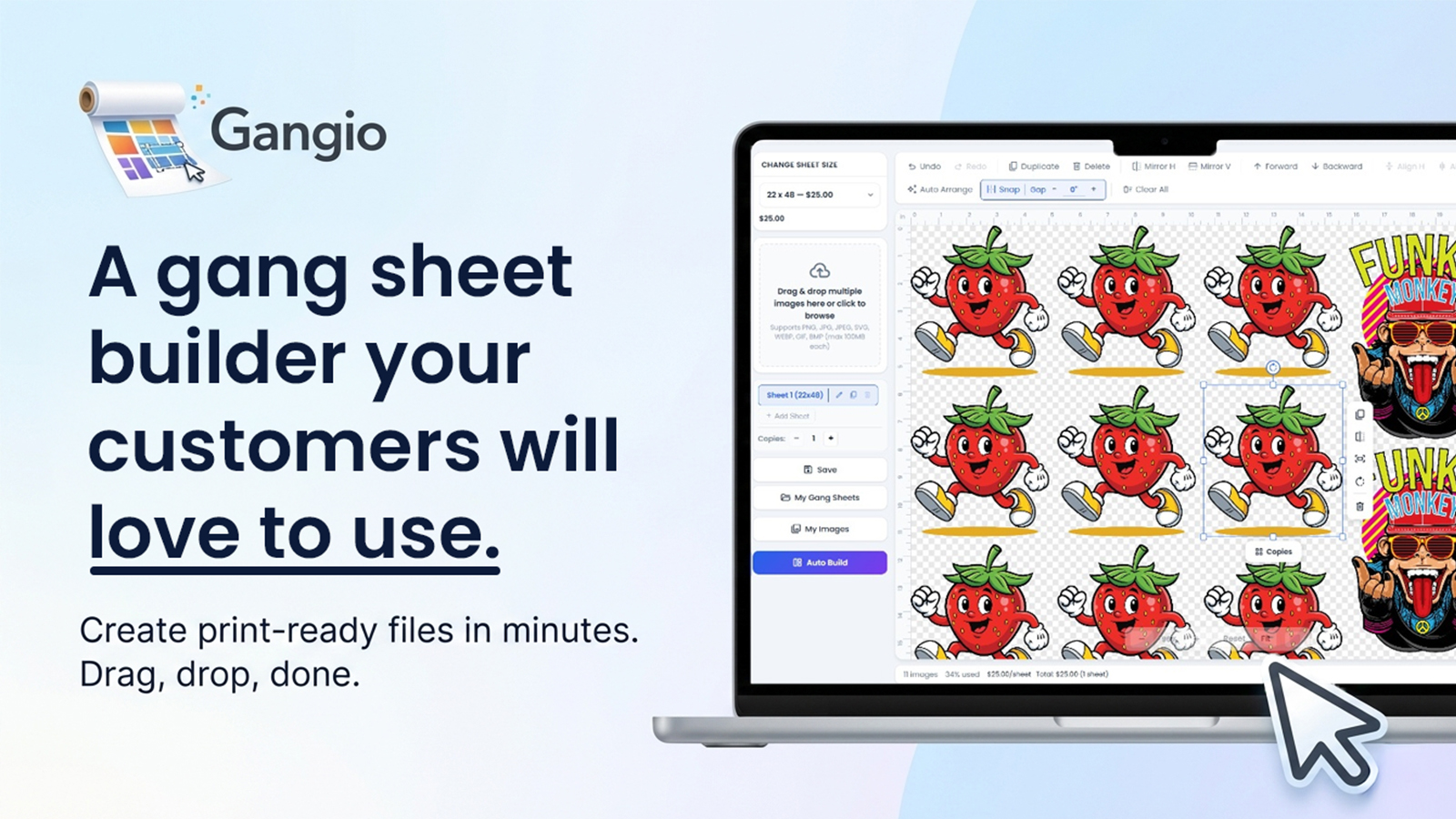
A Gang Sheet builder your customers will love to use.

A fast storefront builder for Shopify print shops. Upload, auto-pack, and check out. You get files that are ready to print.
Gangio storefront builder showing a gang sheet canvas and design toolsGangio gang sheet builder preview 1Gangio gang sheet builder preview 2Gangio gang sheet builder preview 3Gangio gang sheet builder preview 4Gangio gang sheet builder preview 5Gangio gang sheet builder preview 6Gangio gang sheet builder preview 7
Why Gangio

Built for shops that need speed, not another design tool to babysit

From first upload to print file, every step is aimed at fewer support tickets and faster fulfillment.

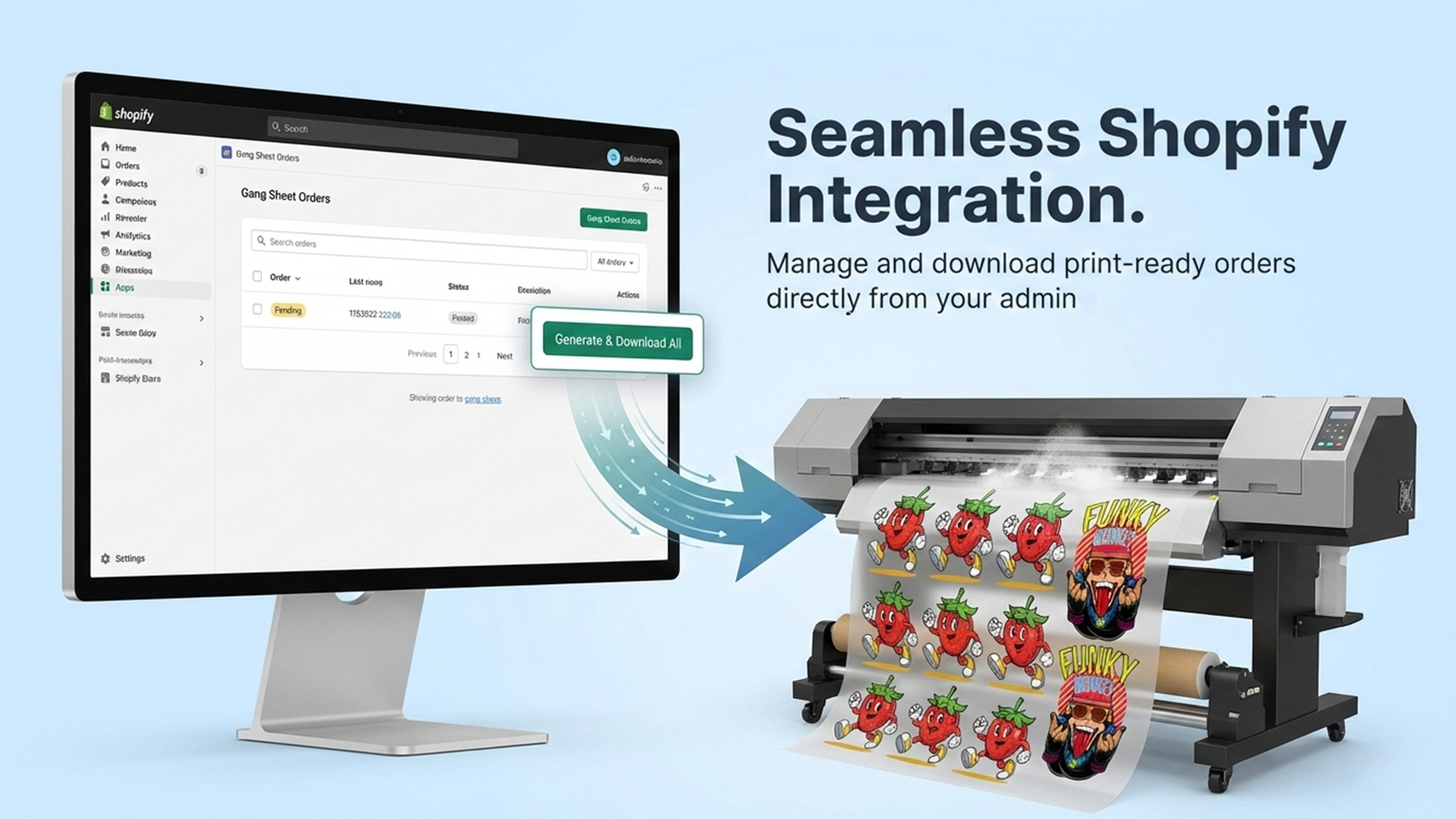
Print-ready every time

Generate and download production files from your admin with a live progress bar. No reformatting, no chase-downs.

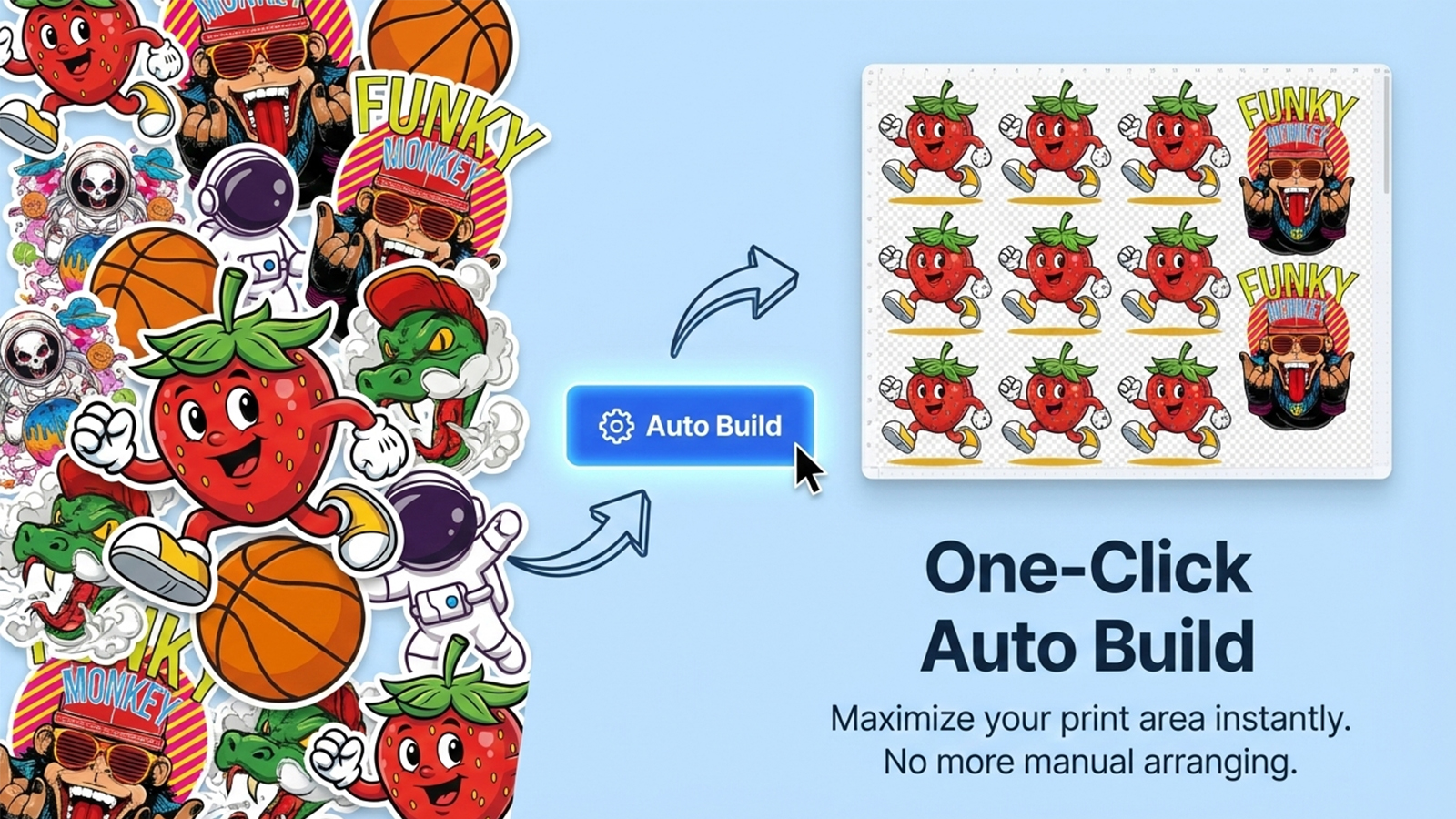
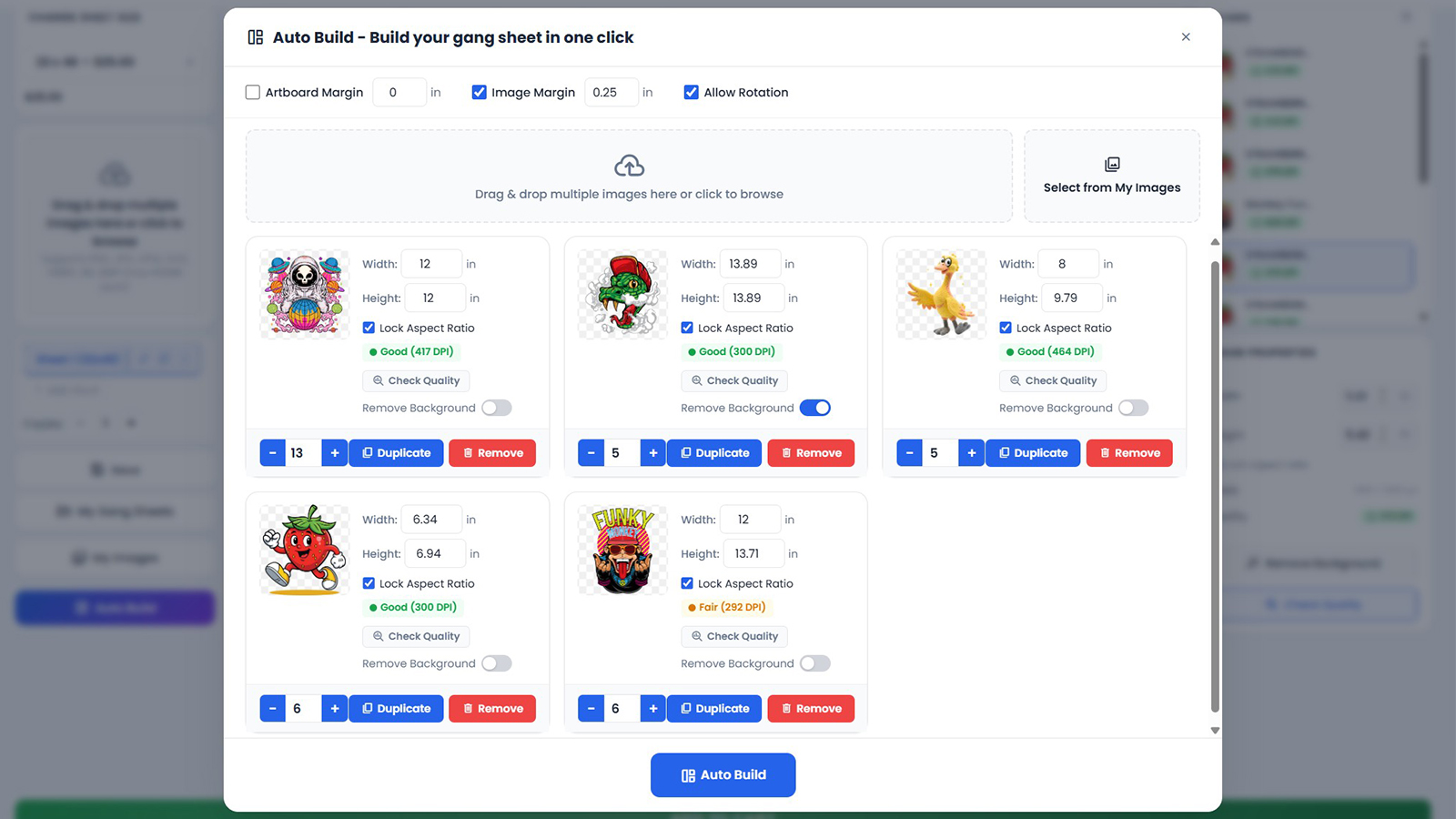
One-click Auto Build

Pack dozens of designs in seconds with Smart, Cut Friendly, By Design, or Max Density layouts.

Fits your printers

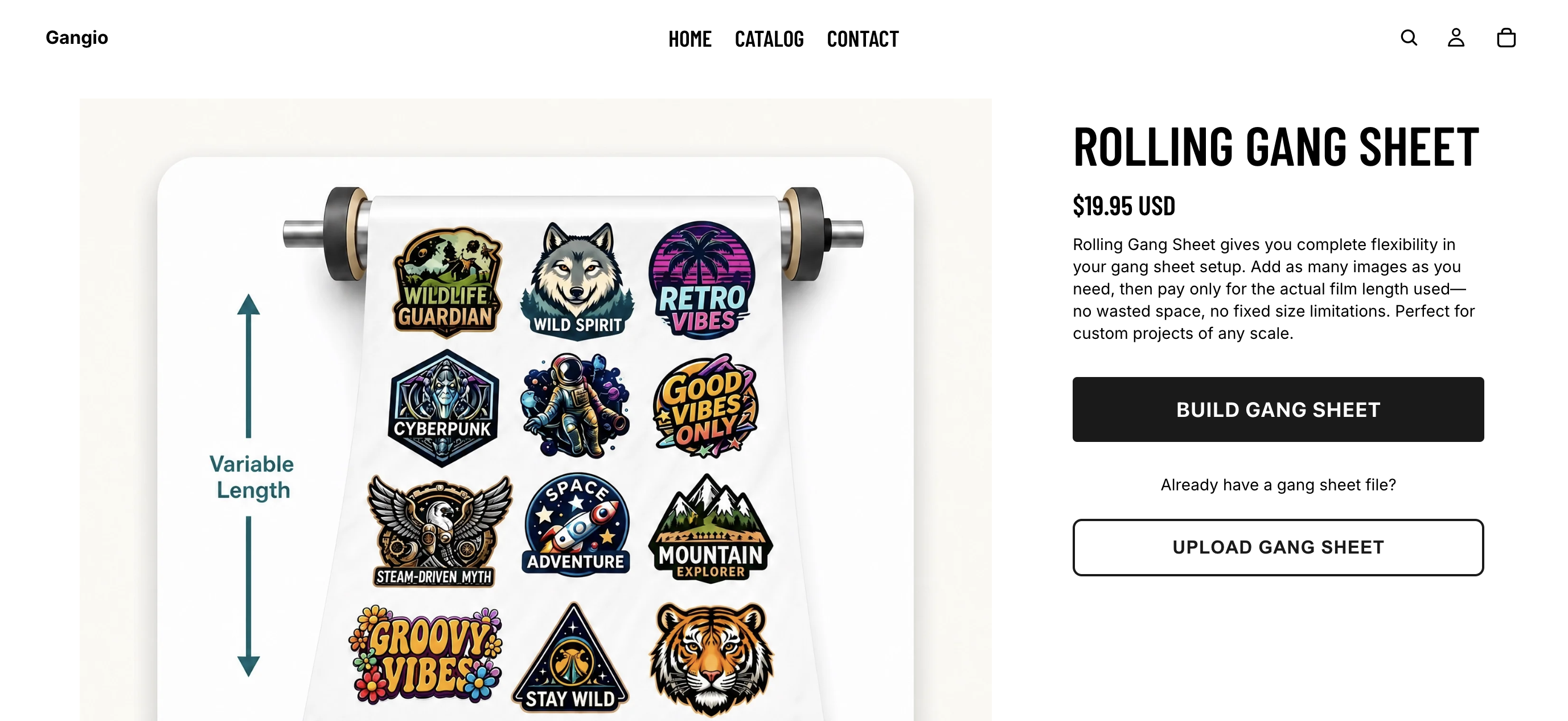
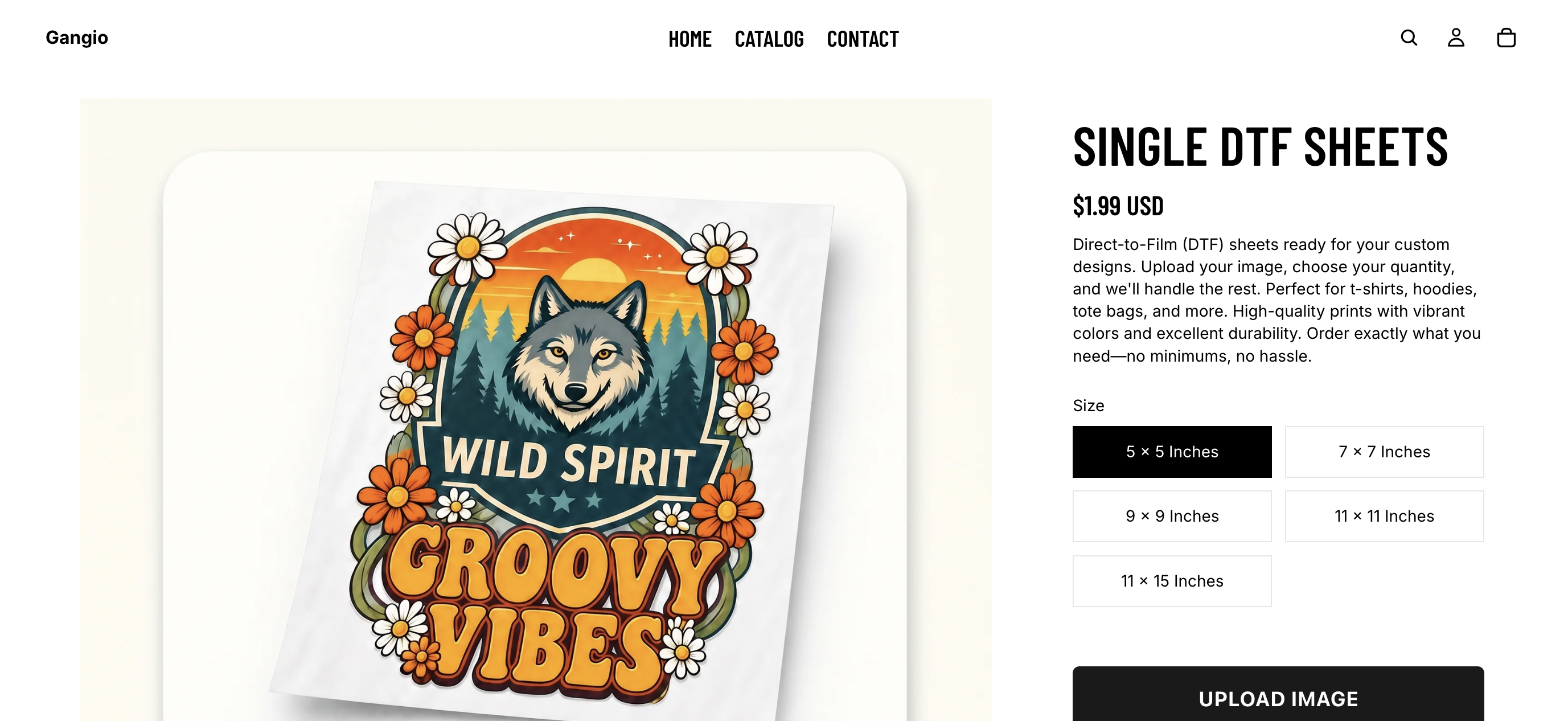
Fixed sizes, rolling lengths, single sheets, or EZ Auto-Build to match how your shop actually prints.

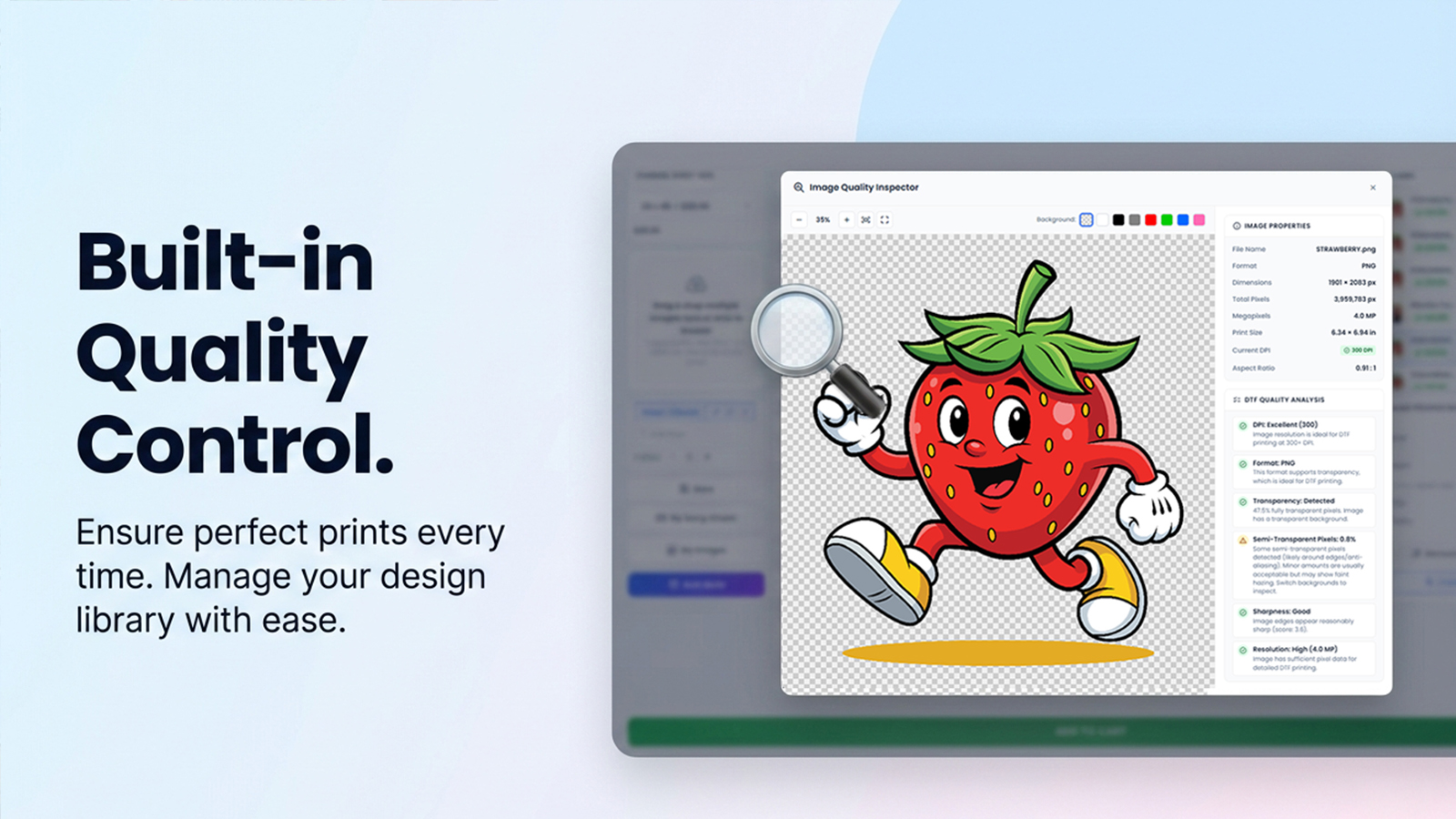
Quality before checkout

Automatic resolution checks warn shoppers about soft files before they pay.

Auto Build packing

See how Auto Build packs a sheet

The same packing engine customers get on your storefront. Switch methods, try a job mix, and watch film length and layout update live.

Try a job
Packing method

Cut-friendly bands that keep each design together unless spreading saves real film.

  • Chest print10×8" · ×1
  • Patch3×3" · ×12
  • Sleeve4×6" · ×6
  • Tag2×2.5" · ×20
Film length23.00 in
Efficiency85%
Images39
Vs longest packShortest
Smart · 22" × 23.00"
Merchant orders

Print-ready files, one click from your admin

Gang sheets land in your Shopify admin with sizes, image counts, and download tracking. Generate a file and watch it prepare, then download straight to your printer workflow.

  • Generate & download from the order screen
  • Live progress while the print file is built
  • Track pending vs downloaded sheets per order
  • Re-download anytime at no extra charge

Try it in the demo on the right. No real files are created.

Gang Sheet Orders
#1042$54.85
jordan@printshop.demo · Today · 3 sheet(s)
1/3 downloaded
  • Sheet 1 of 3Pending
    22" x 30" · 1 copy · 14 images
  • Sheet 2 of 3Pending
    22" x 24" · 1 copy · 9 images
  • Sheet 3 of 3Downloaded
    22" x 18" · 2 copies · 6 images
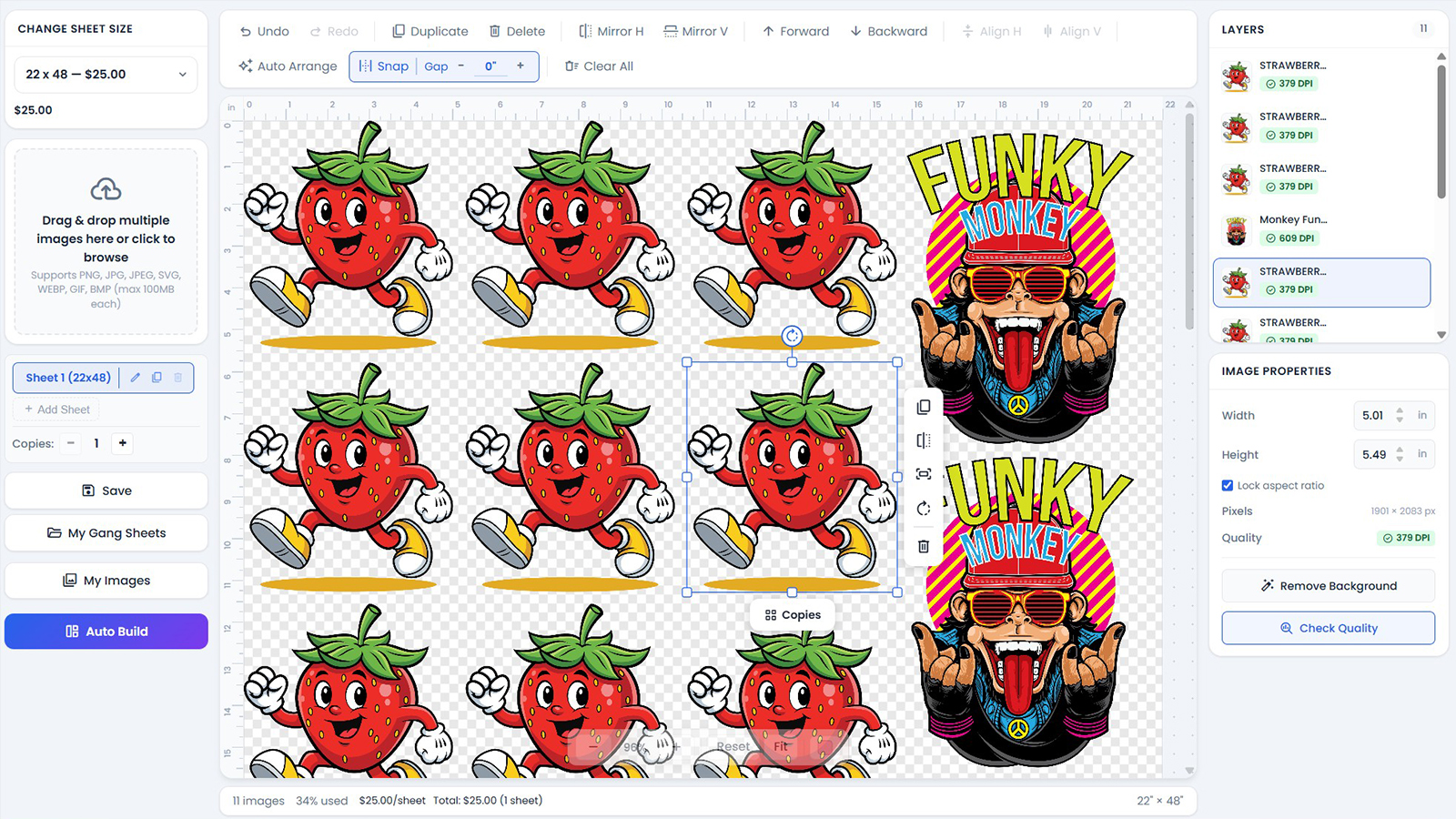
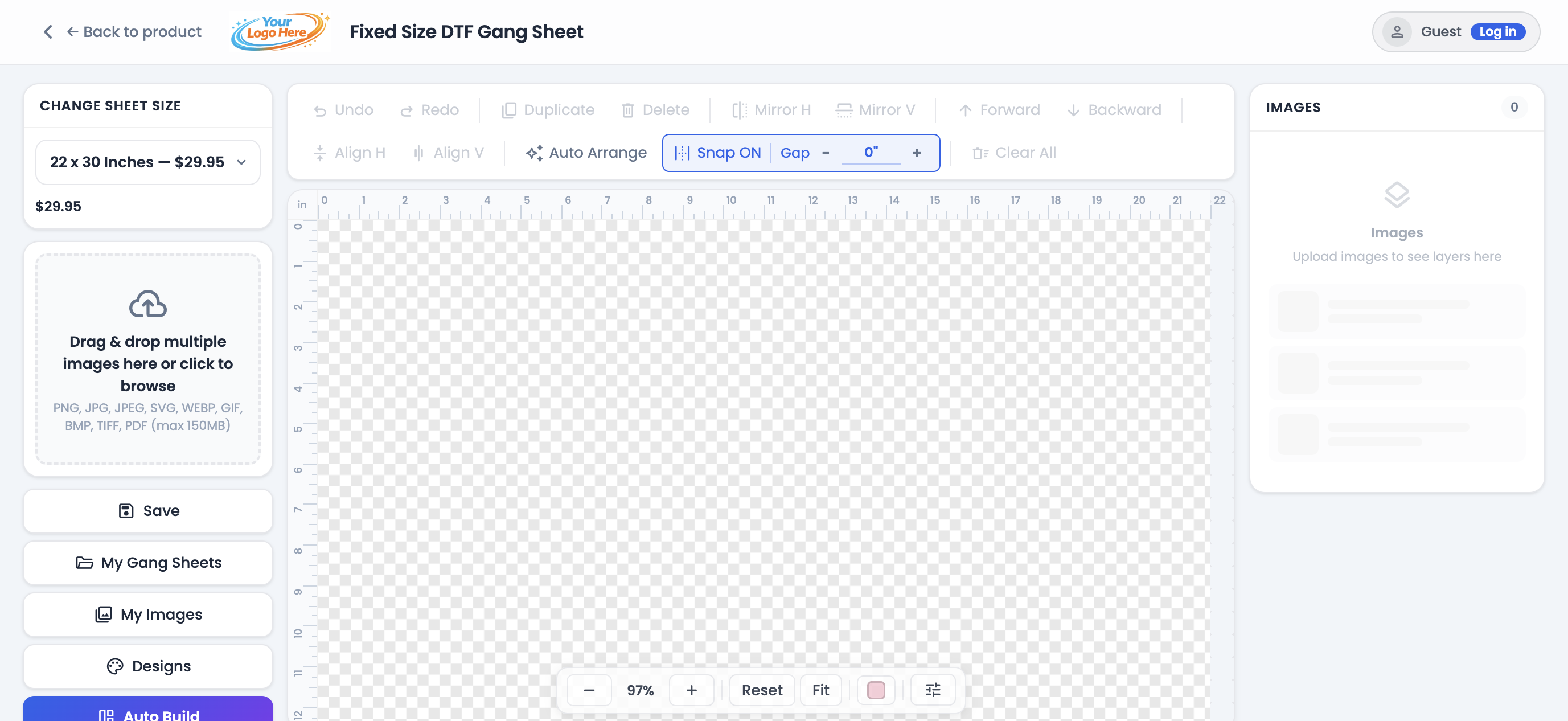
Gangio gang sheet builder with canvas, tools, and image layers
Storefront builder

A designer your customers can actually use

Upload, snap, mirror, duplicate, and pack with fluid editing that holds up with hundreds of images on a sheet.
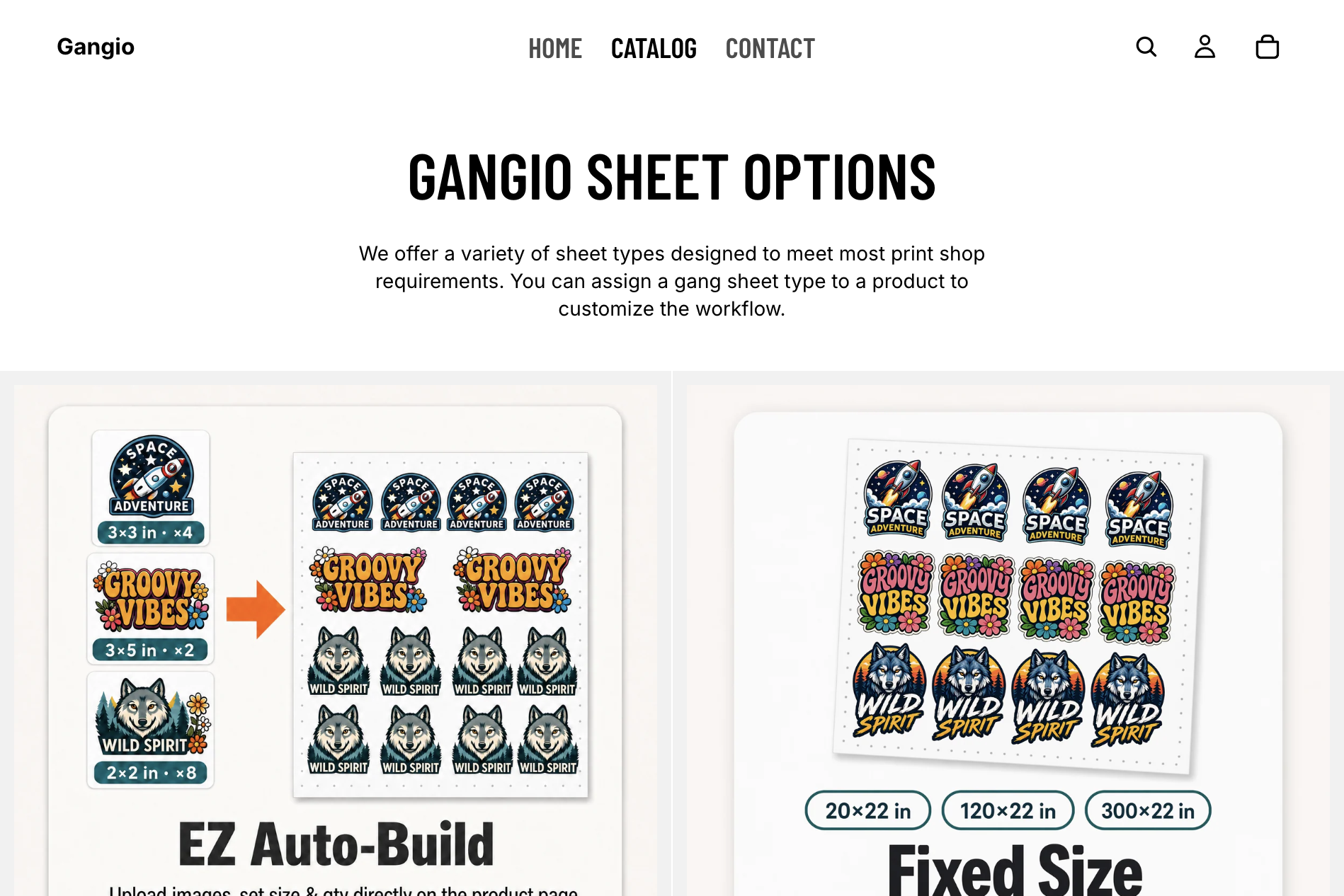
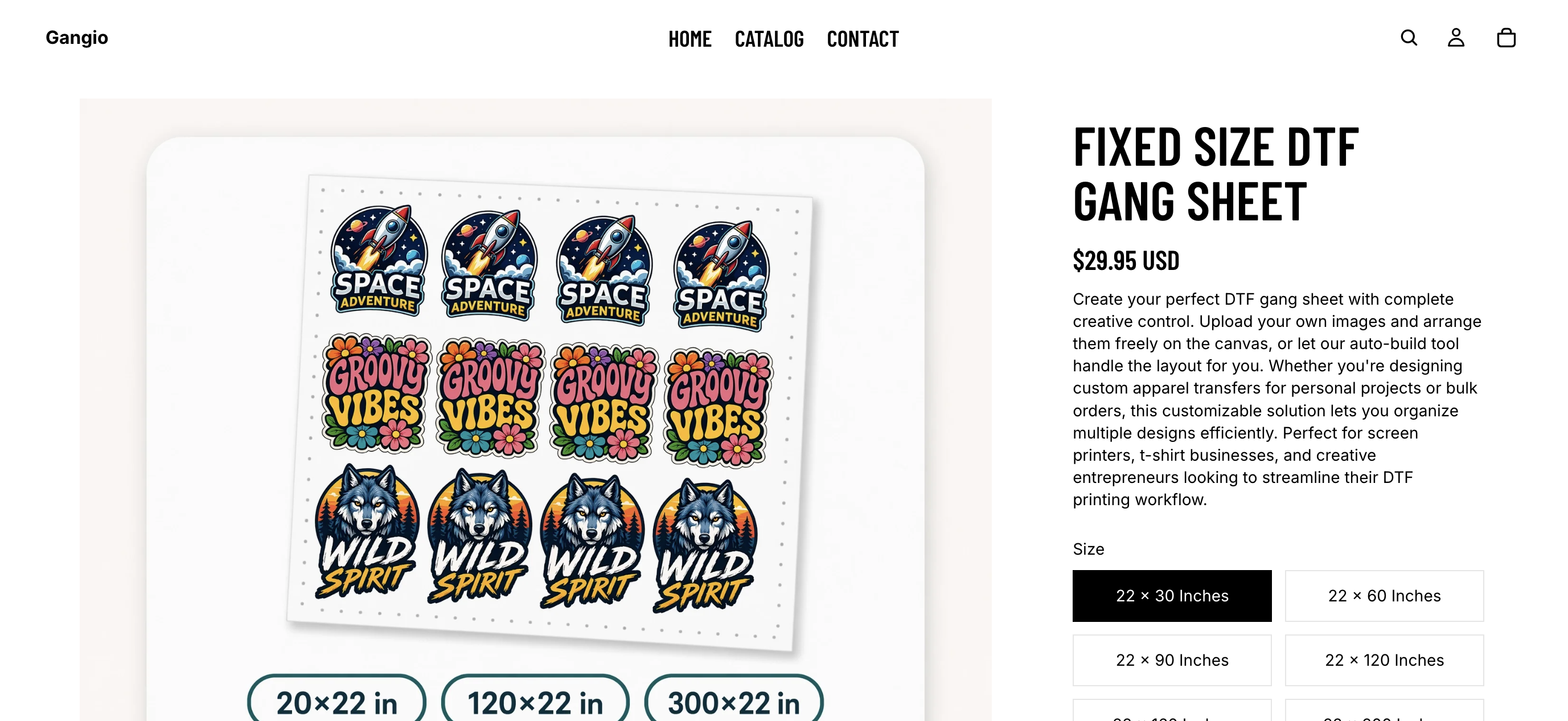
Gangio sheet options including EZ Auto-Build and Fixed Size
Sheet types

Workflows for every print shop

Assign EZ Auto-Build, fixed, rolling, or single-sheet products so each SKU matches how you print and price.
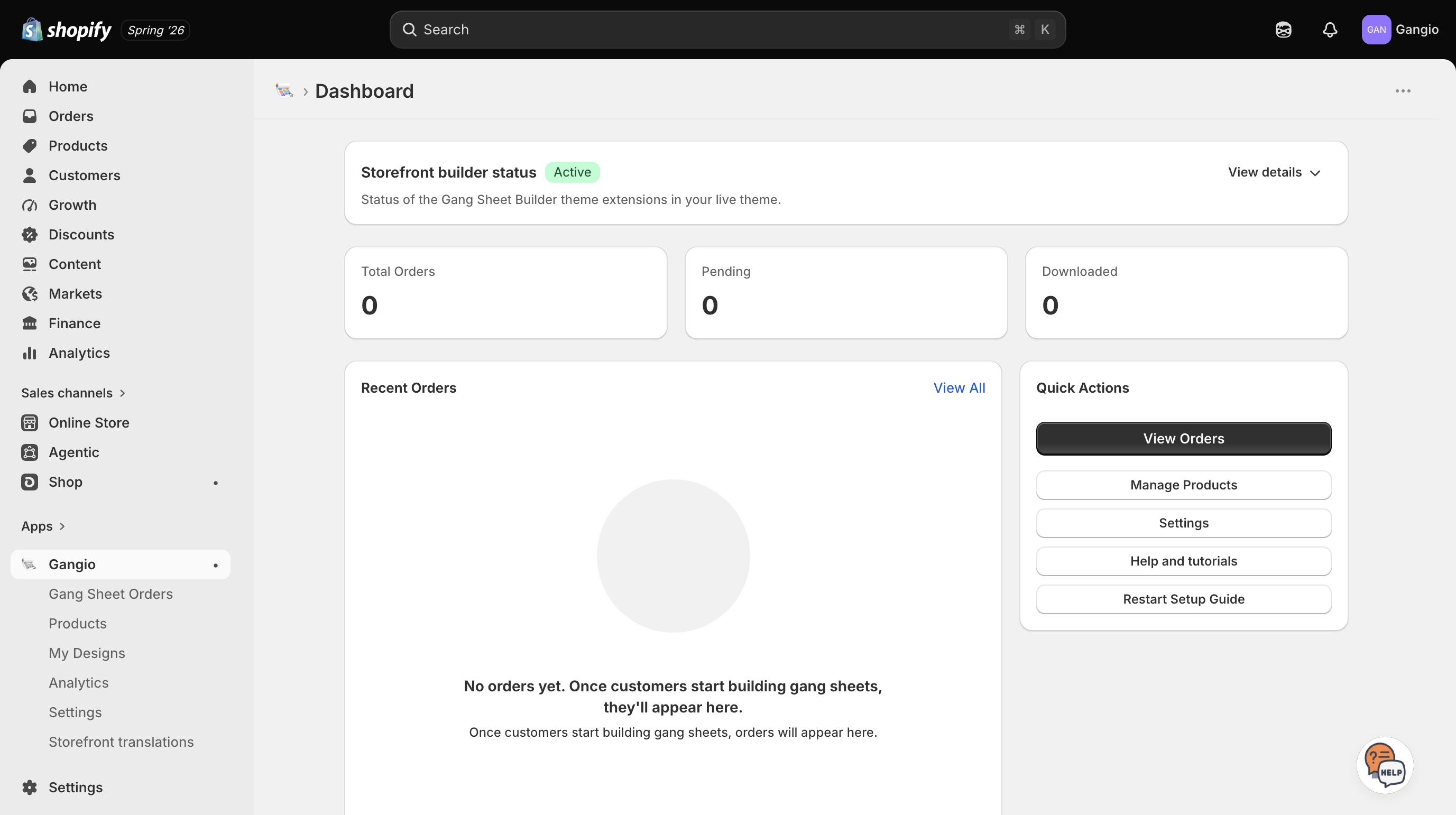
Gangio merchant dashboard showing storefront builder status and orders
Merchant dashboard

Orders that are ready to print

Track pending and downloaded sheets, reopen designs, and keep fulfillment moving from one dashboard.

Attributes

Everything included after a free install

No feature gates on the editor. Start with a 7-day trial, then pay only when gang sheets are fulfilled.
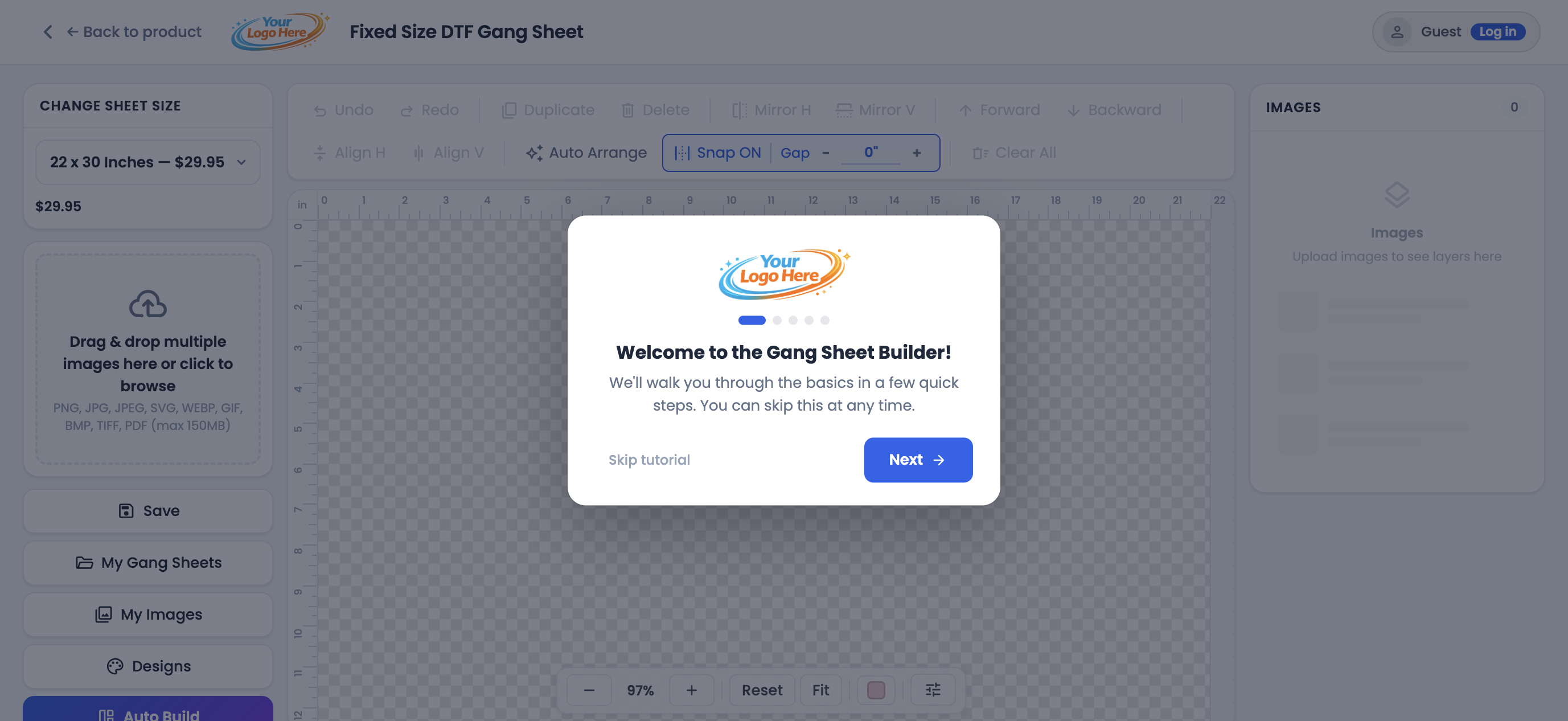
Gangio gang sheet builder with Auto Build and editing tools
  • Full gang sheet editor
  • Auto Build packing methods
  • Auto Crop & Auto Arrange
  • Mobile-optimized builder
  • PNG, JPG, PDF, AI & more
  • Watermark on merchant designs
  • Theme app blocks
  • Packing slip generation
  • 100 GB free storage
  • Generate & download with progress
  • Guest + account designs
  • Print File Header
  • Order management
  • Storefront translations
View all featuresHide all features

Sheet types & pricing

  • Fixed sizes with mapped Shopify variants
  • Rolling sheets (pay for length used)
  • Single-image sheets with copy count
  • EZ Auto-Build priced per square inch/cm
  • Rolling auto-variants at each length step
  • Quantity discounts by sheet count
  • Inches or centimeters store-wide

Storefront & theme

  • Gang Sheet Builder app embed
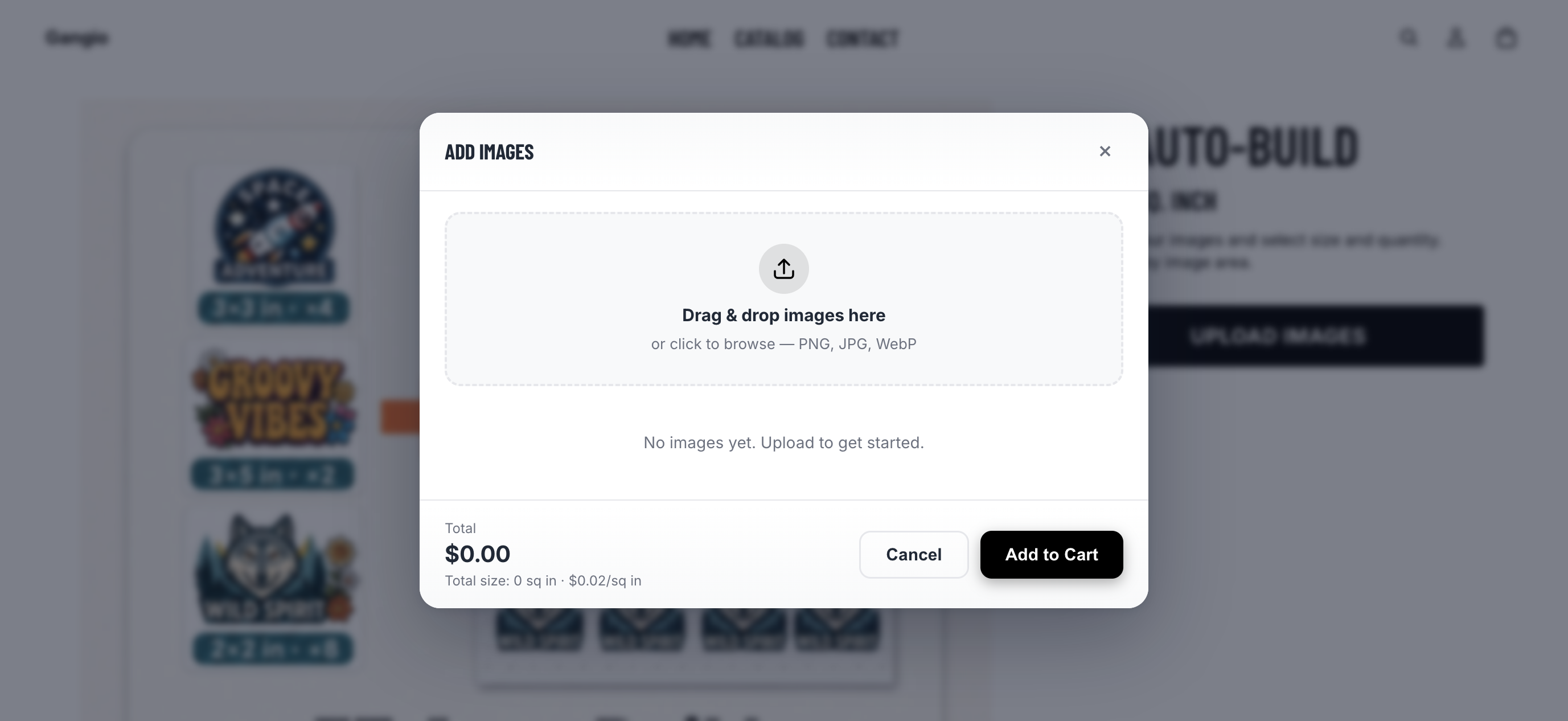
  • Build It, Upload Image, Add Images & Upload Gang Sheet blocks
  • Per-block and global button styling
  • Hide default Add to Cart / Buy now when needed
  • Theme compatibility presets
  • Custom CSS selector for button placement
  • Works with Online Store 2.0 themes

Builder & editing

  • Full-screen drag-and-drop canvas editor
  • Mobile-optimized builder layout
  • Resize, rotate, flip, duplicate & multi-copy grid
  • Undo / redo, zoom, pan & fit to view
  • Snap, gap control & align tools
  • Layer order & image properties panel
  • Overflow warnings & preview backgrounds
  • First-visit tutorial for shoppers

Auto Build & packing

  • Auto Build: upload, size, quantity, pack
  • Auto Arrange for designs already on the sheet
  • Smart, Cut friendly, By design & Max density packing
  • Auto Crop transparent edges
  • Artboard & image margins
  • Optional 90° rotation while packing
  • EZ packing method & gap controls for merchants

Files & uploads

  • PNG, JPG, SVG, WebP, GIF, BMP, TIFF, PDF & AI
  • Configurable max upload size (large files supported)
  • Max images per sheet controls
  • Upload a finished gang sheet file
  • PDF / AI / TIFF processing for the canvas
  • Optional customer notes on uploads

Print quality & image tools

  • DPI / quality inspector with warnings
  • Background removal (merchant toggle)
  • Halftone editor
  • Transparency & white-background checks
  • Re-render HD for PDF/AI at print size
  • 300 DPI print-ready PNG output

Save, cart & checkout

  • Save designs (guest + customer accounts)
  • My Gang Sheets library with rename & duplicate
  • My Images library with favorites
  • Autosave / restore previous session
  • Add to Cart with progress steps
  • Edit Design & Preview from the cart
  • Normal Shopify checkout & discounts

Merchant designs & watermark

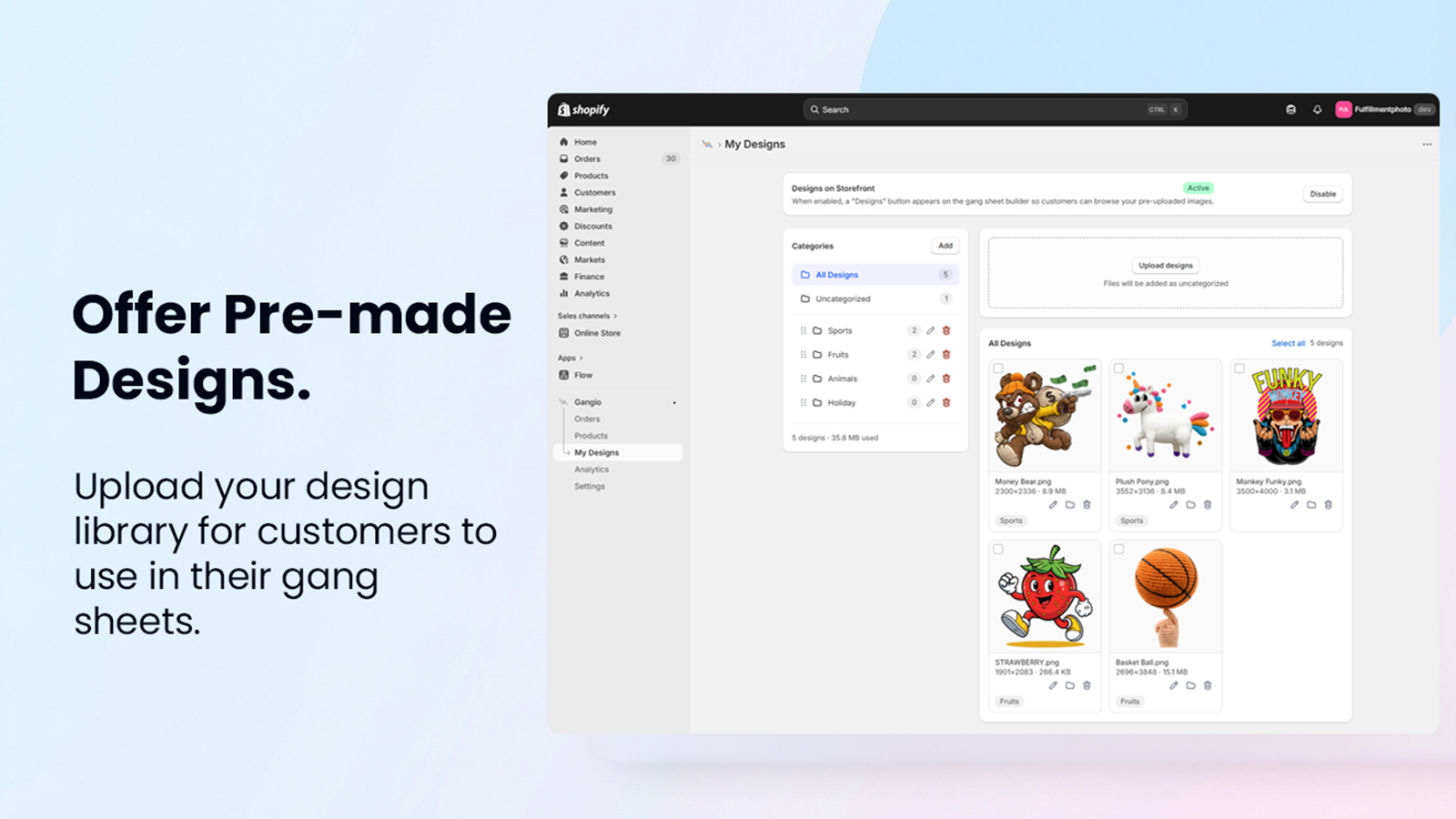
  • My Designs library for customer placement
  • Design categories / folders
  • Designs picker in the builder & Auto Build
  • Editor-only watermark on merchant artwork
  • Custom watermark text (defaults to shop name)
  • Theft deterrence on design thumbnails

Branding & customization

  • Store logo in builder header
  • Editor accent / theme colors
  • Custom Build It button text & colors
  • Print File Header on downloaded sheets
  • Default gap & measurement unit settings
  • Storefront translation overrides
  • Built-in locales: EN, ES, FR, DE, PT, JA, SV

Orders & fulfillment

  • Gang Sheet Orders with Pending / Downloaded / Not paid
  • Search by order, customer & date
  • Generate & download print-ready PNGs
  • Batch generate / download all sheets
  • Download tracking & free re-downloads
  • Print packing slips (single & bulk)
  • Preview / edit layouts from admin
  • Shopify order admin block & deep links
  • Resync with Shopify when webhooks miss an order

Billing, storage & analytics

  • 7-day free trial
  • Usage-based billing: 3% per gang sheet fulfilled
  • No monthly base fee
  • 100 GB free storage + add-on blocks
  • Storage breakdown & cleanup tools
  • Analytics for orders, revenue, uploads & storage
  • Monthly Shopify usage cap controls

Setup & support

  • Dashboard setup guide (products → embed → buttons)
  • One-click theme editor links
  • Video tutorials for products & Build It buttons
  • In-app Help, FAQ & contact form
  • Public merchant & customer help centers
Getting started

Live on your storefront in minutes

No developers. No theme surgery. Install, configure, sell.

01

Install

Add Gangio to Shopify in one click. No theme code required.

02

Configure

Set sheet sizes, pricing, and margins on your products.

03

Sell

Customers build on your storefront and check out as usual.

Pricing

Free to install

3%

of each gang sheet fulfilled. Includes a 7-day free trial. Re-downloads and copies are free.

  • Full gang sheet editor
  • Auto Build and Auto Align
  • 100 GB free storage
  • Large file support
  • Download & copy tracking
  • Halftone editor
Get started free
FAQ

Questions shops ask before installing

Ready when you are

Put a gang sheet builder on your Shopify store

Install free, try the demo, then go live with the workflow that fits your shop.